username/username · stats · badges · widgets

Build your GitHub profile README

The special username/username repo README appears on top of your profile. Drop in stack badges, GitHub stats cards, and social links.

Profile README Generator
Markdown
1006 B
13 lines
Stack badges
5
shields.io
Stat cards
3
tokyonight
Social links
0
linked
input · fields
output · README.md
# Hi, I'm Octocat 👋

Full-stack developer building things on the web.

## 🛠 Tech stack
![TypeScript](https://img.shields.io/badge/TypeScript-000?style=for-the-badge&logo=typescript&logoColor=white) ![React](https://img.shields.io/badge/React-000?style=for-the-badge&logo=react&logoColor=white) ![Node.js](https://img.shields.io/badge/Node.js-000?style=for-the-badge&logo=node.js&logoColor=white) ![PostgreSQL](https://img.shields.io/badge/PostgreSQL-000?style=for-the-badge&logo=postgresql&logoColor=white) ![Docker](https://img.shields.io/badge/Docker-000?style=for-the-badge&logo=docker&logoColor=white)

## 📊 GitHub stats
![Stats](https://github-readme-stats.vercel.app/api?username=octocat&show_icons=true&theme=tokyonight)
![Streak](https://streak-stats.demolab.com?user=octocat&theme=tokyonight)
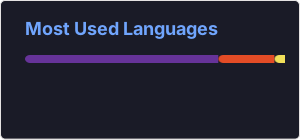
![Top Langs](https://github-readme-stats.vercel.app/api/top-langs/?username=octocat&layout=compact&theme=tokyonight)

![Profile views](https://komarev.com/ghpvc/?username=octocat&style=flat&color=blue)
Quick Start

How to build a profile README

Create a repo named the same as your username, drop this README inside.

  1. 01

    Username and display name

    GitHub treats a repository named identically to your username as a special profile README — its README.md appears at the top of github.com/<you>. Spelling and capitalisation must match exactly.

    The display name (the H1 heading) can be friendlier than your handle — “Hi, I’m Ada” reads better than the bare username.

    username/usernamespecial repoH1 headingGitHub
    input · repomatched
    username/username
    # Hi, I'm Ada 👋
    33 B · 2 linesready
  2. 02

    Bio and tech stack

    One line of bio sets context — what you build, where, with whom. The tech stack is comma-separated; each entry becomes a Shields.io for-the-badge chip with a Simple Icons logo, rendered against a flat dark background.

    Mix ecosystems freely: TypeScript, Python, PostgreSQL, Docker, Kubernetes — the slug is auto-lowercased to look up the matching icon.

    bioShields badgesSimple Iconsfor-the-badge
    config · contentrich text
    TypeScript, React,
    Node.js, Postgres
    4 badgesShields-ready
  3. 03

    Cards and theme

    Toggle GitHub stats, streak, and top languages cards — each pulls a live PNG from a stat-card service keyed by your username. Pick a theme (tokyonight, dracula, gruvbox, nord, …) to match your brand palette.

    Add an MIT or Apache-2.0 licence badge in your project READMEs separately; this generator focuses on the profile-level wow factor.

    stats cardstreaktokyonightMIT/Apache
    widgets · themetokyonight
    ?theme=tokyonight
    &show_icons=true
    3 cardsthemed
  4. 04

    Commit to the special repo

    Copy the Markdown, paste it into README.md at the root of your username/username repo, and push. GitHub picks it up immediately — refresh your profile to see it live.

    Everything is generated locally. Stat cards load from third parties only when someone views the rendered README.

    clipboardREADME.mdgit pushprivacy-first
    export · README.mdready
    ✓ Copied profile README
    ✓ Saved: README.md
    ✓ Push to username/username
    ready to shipsuccess
Pro tips

Author Markdown that renders everywhere

GFM is the safe default

GitHub-Flavored Markdown is the de-facto baseline (tables, task lists, strikethrough). CommonMark is stricter but ubiquitous as a fallback.

Soft-break behaviour varies

A single newline is a space in CommonMark, a <br> in GFM. Toggle soft breaks when source matters.

Escape inside code fences

Backticks inside fenced blocks need a longer fence — three becomes four. Use ~~~ if your content has many backticks.

Anchors are slugified

GitHub lowercases, strips punctuation, and joins with hyphens. Duplicate headings get -1, -2 suffixes.

Tables need a header row

The dash row sets alignment (:---, :-:, ---:). Use Table Aligner for diff-friendly columns.

Front matter is YAML

Triple-dash blocks at the top of files are parsed by static-site generators. Use the Front-Matter Validator to catch syntax errors.

Use Cases

When to refresh your profile

Job hunt, new role, new project.

Job hunt

Recruiters open your profile first — make it skim-friendly. Render path uses marked with GFM extensions enabled (tables, task lists, strikethrough, autolinks), so what you preview matches what GitHub publishes bit-for-bit. Soft-break behaviour is configurable for chat-style vs prose Markdown.

GFM-compliant

New role

Update stack badges and bio when you change tech. Pairs cleanly with the Markdown Cheatsheet for syntax you can't quite remember — callout blocks, footnotes, definition lists. Output stays diff-friendly so style-only changes don't drown out real edits in PRs.

GitHub-perfect

Side project launch

Pin the new repo and link it from the README. Cross-platform safe: anchors, code fences, and tables behave identically on GitHub, GitLab, Bitbucket, and Gitea. Heading-anchor slugs follow GitHub's lowercase-and-hyphenate rules so deep links survive a docs migration.

diff-friendly

Personal brand

Match the theme to your website/avatar palette. No server roundtrip — perfect for proprietary content you can't paste into a public tool. The full marked + GFM bundle ships with the page, so it works offline once loaded.

render-stable

Streak motivation

Streak card nudges daily commits. Front matter (YAML / TOML / JSON) passes through unchanged so static-site pipelines (Jekyll, Hugo, Astro, Eleventy) read it correctly. Pair with the Front-Matter Validator to catch syntax errors before deploy.

cross-platform

Conference bio

Speakers often link to GitHub profile — make it polished. Output is reproducible: identical input always produces identical Markdown, so doc-generation scripts can rely on it for snapshot tests and embedded into release workflows.

SEO-friendly
FAQ

Frequently asked questions

Create a public repo named the same as your username. Add this README.md at the root — GitHub picks it up automatically.
They're third-party services (Vercel and demolab). 99% uptime, but if a card fails, GitHub shows a broken image.
Pick from 8 named themes here. The stats service supports more — edit theme= in the URL after copying.
We use the for-the-badge style with a flat dark background. Edit the colour hex in the Markdown to taste.
No — the README is built locally and runs locally in your browser. Cards load from third-parties when viewed.
Suggest a tool

Something missing?

Tell us what you need. We ship the top requests every two weeks.

Sent straight to the maintainers · no account needed
47 in queue·8 shipped this month
Request queued. Thanks!